Display the week of the year in macOS High Sierra

By default macOS High Sierra doesn’t show the week of the year. Neither in the calendar app nor in the menu bar.
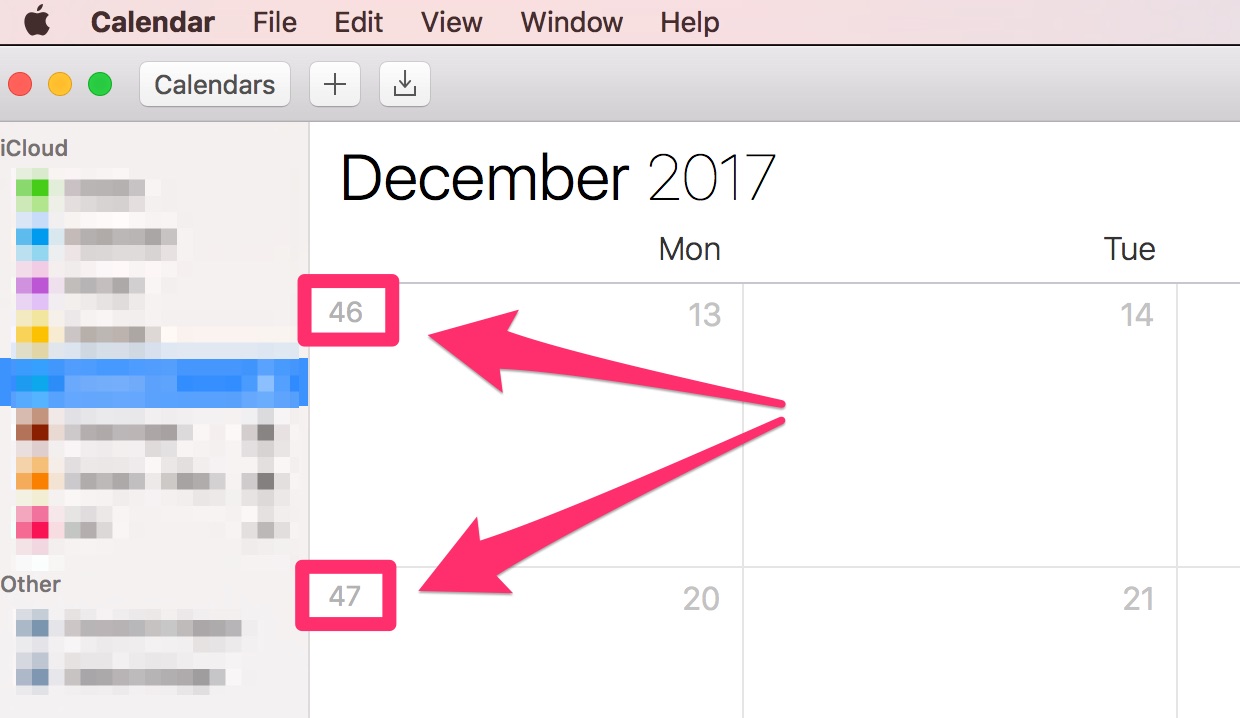
Display week of year in calendar app
- Open calendar app
- To open the preferences press
⌘+, - Select
Advanced - Check
show week numbers
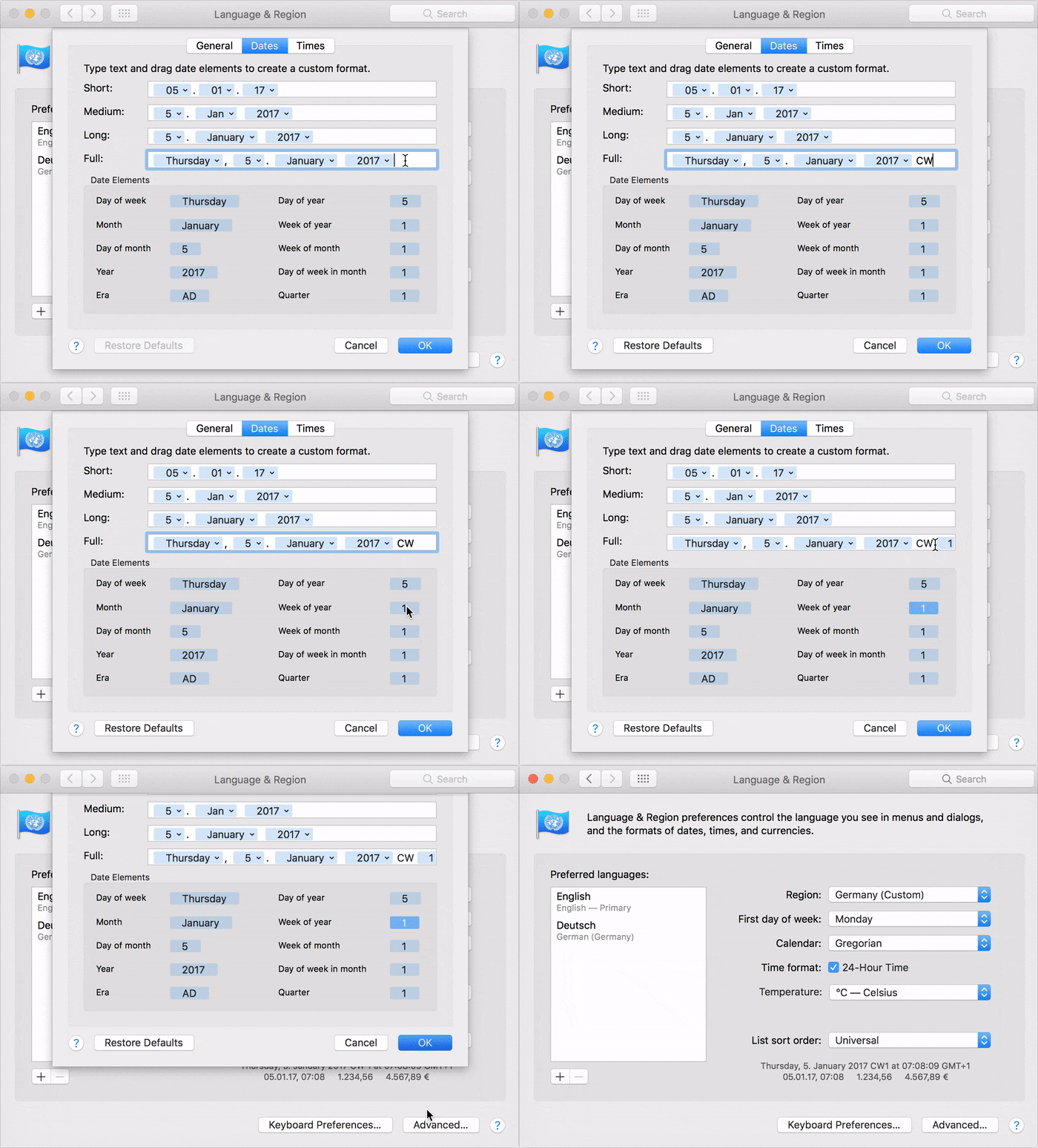
Display week of year in the macOS menu bar
- Open System Preferences
- Select
Language & Region→Advanced...→Dates